

The baseball star mod apk makes building your own baseball team less demanding by reducing the usual restrictions on spending. In the original Baseball Star, winning matches is only part of the challenge. You also need to recruit players, improve their abilities, arrange your batting order, and manage a pitching staff that can survive difficult league games. Spending resources on the wrong players can leave your team struggling when stronger opponents appear.
Baseball Star v1.7.9 includes Unlimited Money and a modification described as keeping currencies from decreasing when spent. The 92 MB APK requires Android 6.0, with February 20 recorded as its last-update date. The exact behavior of the modification hasn't been independently verified, and no detailed changelog confirms what changed in v1.7.9. If you're considering a baseball star mod apk download, this guide covers its team management, offline gameplay, upgrades, compatibility problems, and the security differences between modified files and the official Google Play release.
Baseball Star APK Info
| App name | Baseball Star |
|---|---|
| Latest version | 1.7.9 |
| File size | 92 MB |
| Requires | Android 6.0+ |
| Developer | playus soft |
| Genre | Game |
| MOD features | Unlimited Money |
| Installs | 10M+ |
| Updated | Feb 20 |
| Google Play | us.kr.baseball |

What is Baseball Star MOD APK?
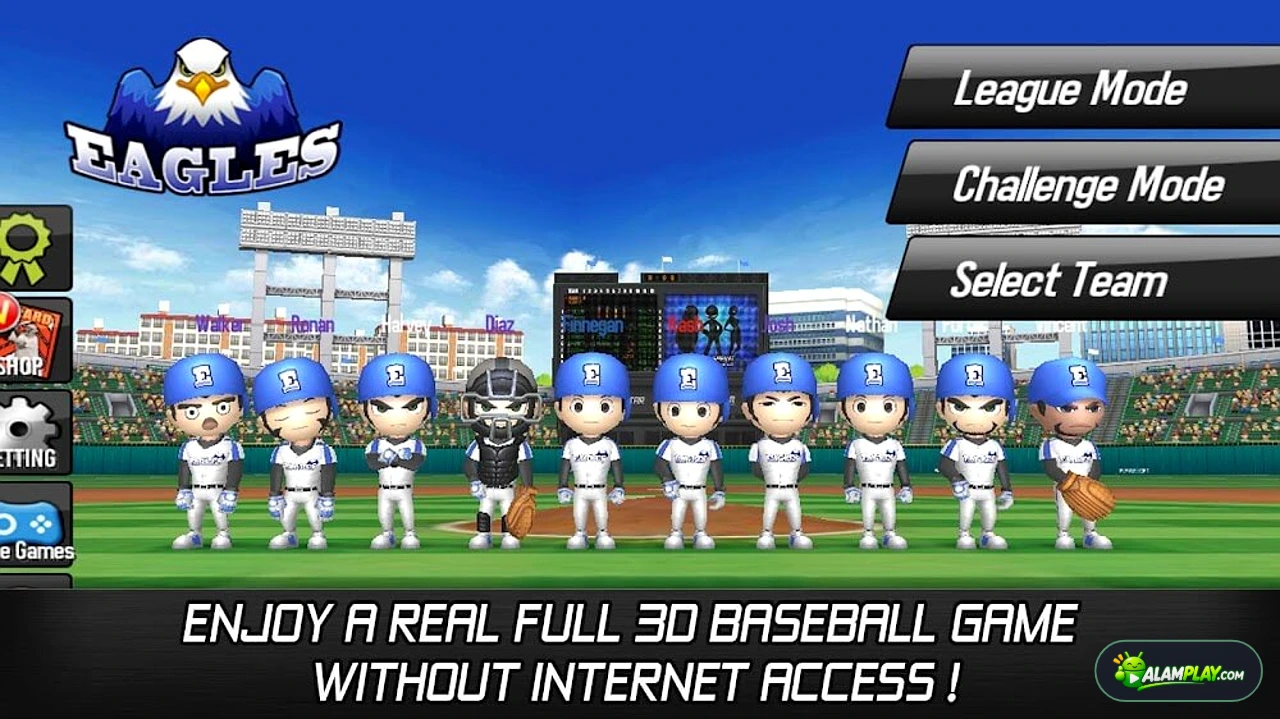
Baseball Star MOD APK is a modified Android version of playus soft's baseball management game featuring Unlimited Money and currencies that don't decrease when spent. Players recruit athletes, organize lineups, develop their teams, and compete in baseball matches. Version v1.7.9 reduces spending restrictions while preserving the game's central baseball mechanics.
Baseball Star gives you responsibility for both playing matches and managing the team behind them.
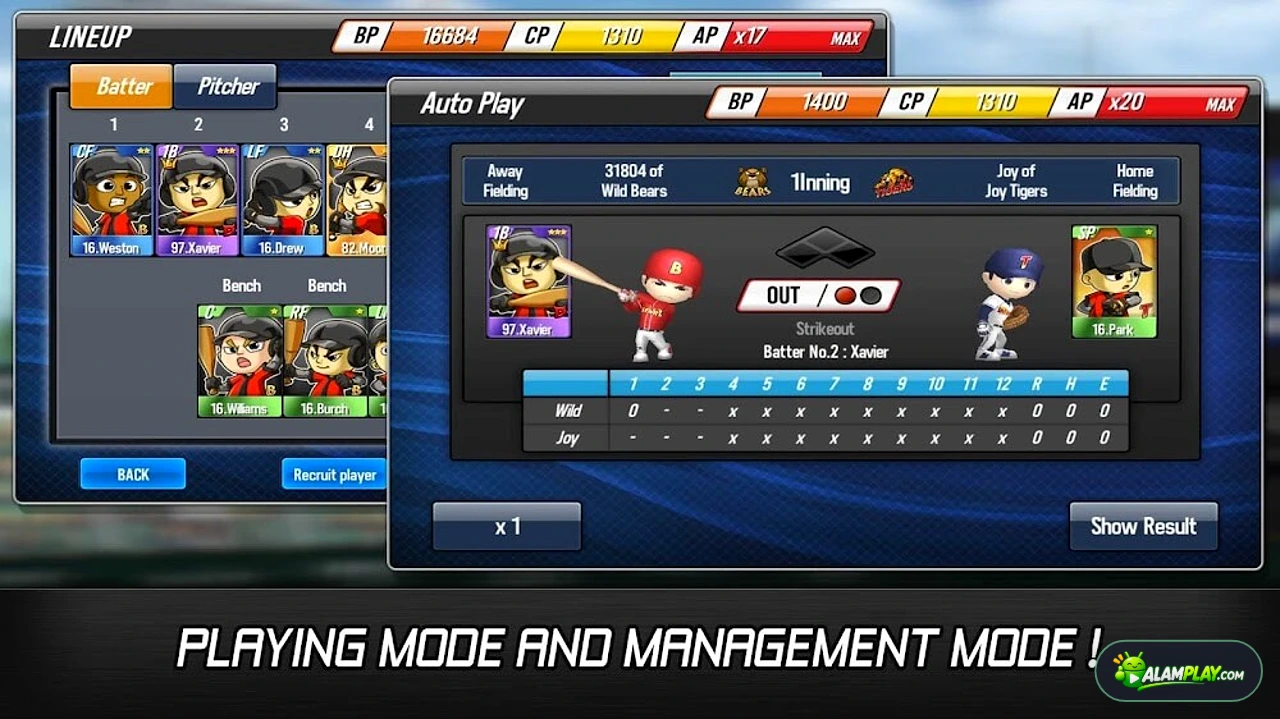
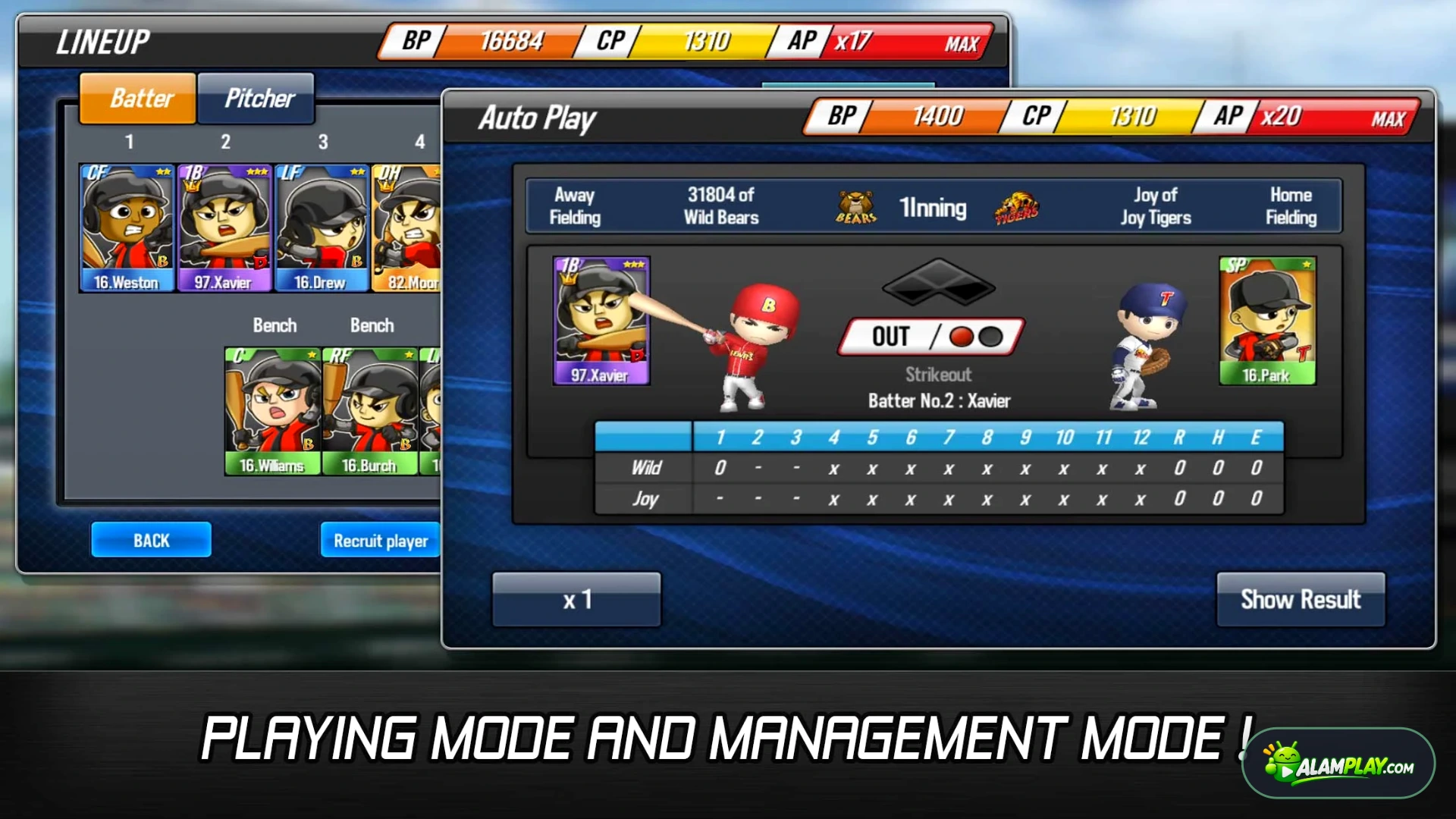
You choose your lineup, develop individual players, and decide how your squad should approach different opponents. During matches, you can take control of baseball actions or use automatic play when you prefer to concentrate on management.
That flexibility is one of the game's strongest qualities.
Sometimes you want to control the action and make every batting decision yourself. Other times, you'd rather see how your carefully developed team performs without manually handling each play.
The game supports both approaches.
What makes Baseball Star different?
Baseball Star combines accessible sports gameplay with team development.
You're not limited to selecting a team and immediately starting another match. Your roster changes as players improve, and your decisions influence how competitive the squad becomes.
A powerful hitter can help produce runs, but strong batting alone won't guarantee success. Your pitchers must prevent opposing teams from scoring, while reliable fielders limit mistakes that give opponents extra opportunities.
The game includes league competition, tournament challenges, and options for managing matches automatically.
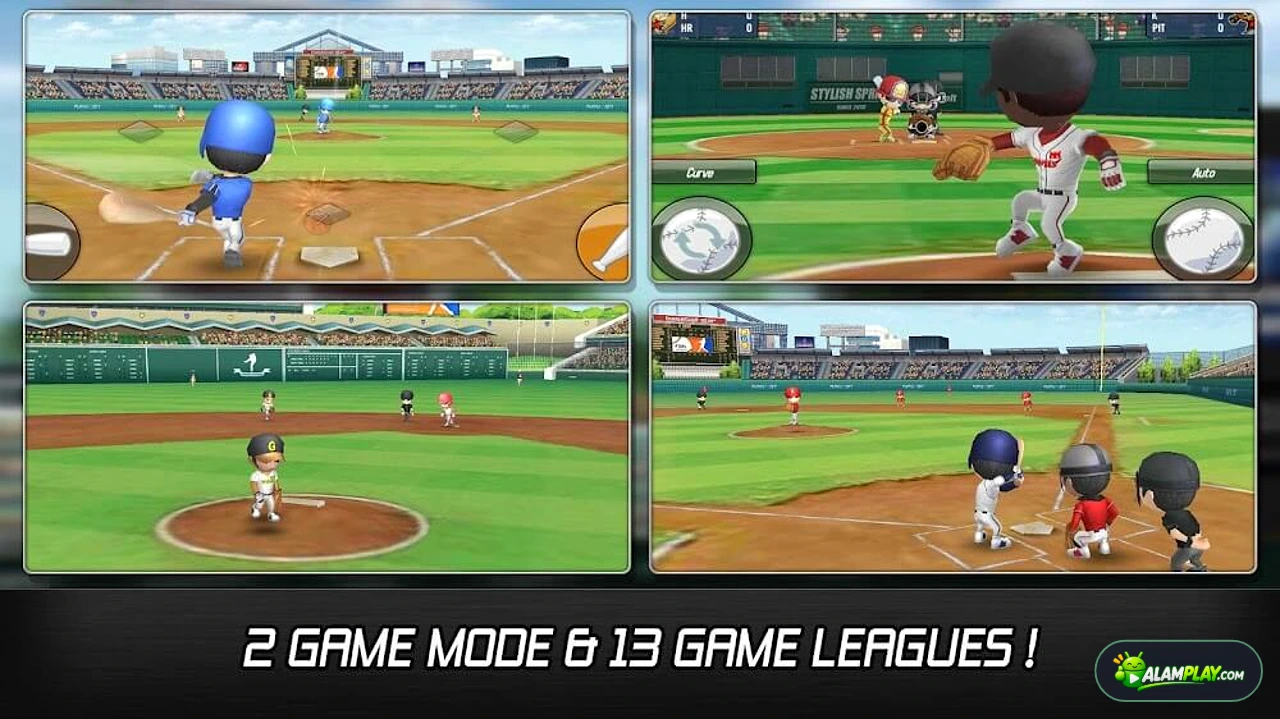
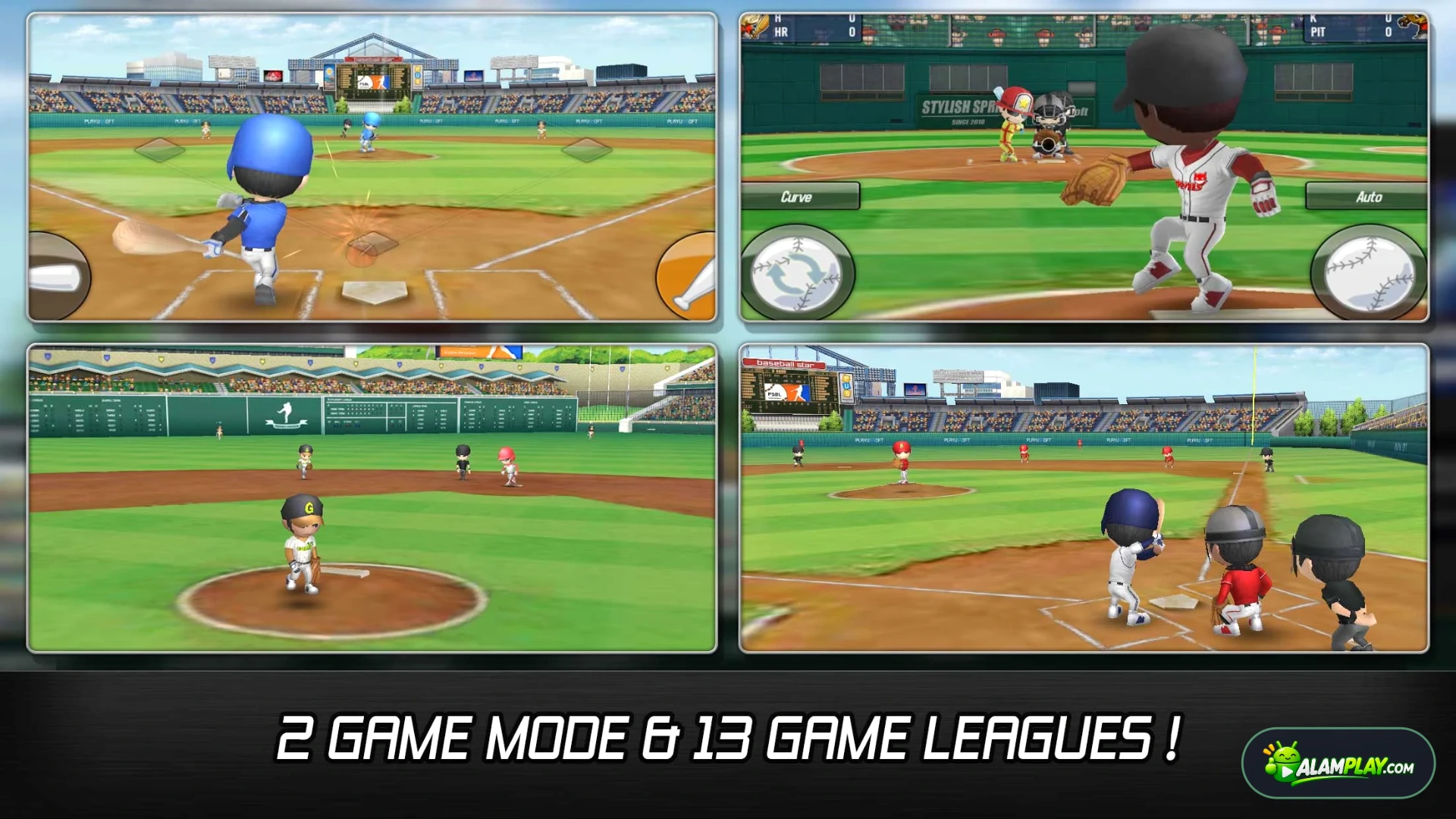
Its 3D presentation makes it easy to follow the action without requiring complicated controls.
Baseball Star has more than 10 million Google Play installs and a rating of 3.8. For players interested in a baseball star game with both management and match controls, that combination remains the main attraction.
Manual play or automatic matches?
One feature I particularly like is the ability to choose how involved you want to be during a game.
Manual gameplay puts more attention on batting, pitching, and controlling important moments.
Automatic gameplay lets the team perform without requiring you to personally handle every action.
Neither approach makes roster development unnecessary.
A poorly balanced team can still struggle in automatic matches, and manual control doesn't completely compensate for weak player attributes.
The most satisfying approach is to use both systems for different purposes.
Manual play helps you understand the baseball mechanics, while automatic matches let you concentrate on evaluating your team's development.
What the MOD changes
The main difference in Baseball Star v1.7.9 is its spending system.
In the original game, currencies provide limits on how quickly you can recruit players, improve statistics, and develop your roster.
Every purchase requires consideration.
You might have enough resources to improve an important pitcher but not enough to strengthen several other positions at the same time.
The modified release identifies Unlimited Money and a currency feature described as preventing balances from decreasing when resources are spent.
| Feature | Original game | MOD APK |
|---|---|---|
| Money | Standard earning and spending system | Unlimited Money |
| Currency spending | Balances decrease after purchases | Currencies don't decrease when spent |
| Player improvements | Depend on normal resource requirements | Reduced spending restrictions |
| Team development | Regular progression economy | Greater flexibility with available purchases |
| Recruitment | Standard recruitment systems | No confirmed automatic player recruitment |
| Match results | Determined by baseball gameplay | No confirmed automatic victory |
| Manual controls | Available | Core gameplay remains |
| Auto mode | Available | No separate modification confirmed |
Unlimited Money changes team development
Money is one of the resources that makes progression meaningful.
When you're developing a young roster, you have to decide which positions need attention first.
Improving a starting pitcher can strengthen your defense immediately. Investing in a contact hitter might make your batting lineup more consistent.
With Unlimited Money, the normal financial pressure is reduced.
That makes experimentation more attractive because available purchases don't demand the same level of resource accumulation.
However, Unlimited Money doesn't automatically unlock every player or remove all progression requirements.
Some development systems can depend on other conditions beyond ordinary currency costs.
What does "currencies don't decrease" mean?
This modification is intended to preserve currency balances when you spend resources.
Under normal conditions, buying an upgrade reduces the amount of currency available for your next purchase.
A non-decreasing currency modification changes that relationship.
It can make repeated purchases more convenient when the relevant currency is supported.
However, the exact currencies affected aren't individually confirmed.
Players searching for baseball star mod unlimited cp and bp should understand that the feature description doesn't explicitly establish separate unlimited CP and BP balances.
The distinction matters because different currencies can support different parts of the game's economy.
Does the MOD include a menu?
A dedicated MOD menu isn't confirmed for Baseball Star v1.7.9.
Some searches for baseball stars mod menu refer to modified releases with separate controls, but those features shouldn't be assumed to exist in this package.
The confirmed modification labels concern Unlimited Money and non-decreasing currencies.
There's no established feature for automatically winning matches, changing opponents' statistics, or instantly completing tournaments.
Gameplay tips that actually help
Baseball Star rewards players who understand how different positions contribute to a successful team.
Spending more resources can improve your roster, but it won't replace sensible management decisions.
- Build a balanced batting order: Your strongest power hitter doesn't need to bat first. Players who reach base consistently can create opportunities for stronger hitters to bring runners home.
- Develop reliable starting pitchers: Preventing early runs reduces pressure on your offense. A dependable starter can keep a difficult match close long enough for your batters to make the difference.
- Use different pitch types: Repeating the same pitching approach makes your strategy predictable. Change speed, movement, and placement when the available pitching controls allow it.
- Don't ignore fielding positions: Defensive mistakes can turn routine hits into extra bases. Improving fielding performance helps protect the work your pitchers have already done.
- Practice batting timing: Swinging too early or too late can produce weak contact. Watch the incoming pitch and concentrate on consistent timing before chasing home runs.
- Use automatic play to evaluate your roster: Automatic matches can help you focus on team development. If your squad repeatedly struggles, examine the lineup and pitching staff instead of simply replaying the same matchup.
How to improve your batting lineup
A good batting order isn't just a collection of your players with the highest statistics.
Each position in the lineup serves a purpose.
Players with reliable contact abilities can help establish scoring opportunities. Stronger power hitters become more valuable when teammates are already on base.
Speed can also make a difference.
A fast runner creates pressure on the defense and can turn an ordinary hit into an opportunity to advance farther.
The goal is to make your lineup work together.
Putting all your strongest batters together without considering their roles can leave other parts of the order producing very little offense.
How to pitch more effectively
Pitching deserves just as much practice as hitting.
A pitcher who repeatedly throws into predictable locations gives the opposing batter an easier opportunity.
Instead, make use of different pitch movements and speeds.
Consider whether the batter is likely to handle a fast delivery or struggle with an appropriate breaking pitch.
Control also matters.
A powerful pitch isn't useful if it consistently misses the intended area.
The strongest pitching approach combines placement, variety, and an understanding of the current situation.
When automatic gameplay makes sense
Auto mode is particularly useful when your main interest is building a stronger team.
Instead of controlling every action, you can focus on the results of your roster decisions.
However, don't use automatic play as an excuse to ignore weaknesses.
If your team regularly loses, the problem might involve a weak pitcher, an ineffective batting order, or poor defensive balance.
A sensible baseball star gameplay strategy alternates between playing manually to understand the mechanics and using automatic matches to evaluate team performance.
What's new in v1.7.9
Baseball Star v1.7.9 is the modified Android release covered here.
It has a 92 MB APK package, supports Android 6.0, and includes Unlimited Money with a non-decreasing currency modification.
February 20 is recorded as the last-update date.
There isn't a verified detailed changelog confirming new players, leagues, gameplay modes, or specific technical changes for this version.
For anyone searching baseball star mod apk 2026, the important distinction is between the version currently available and an officially confirmed list of changes.
Should you update from v1.7.7?
Both v1.7.9 and v1.7.7 appear among the available versions.
Version v1.7.9 has the higher version number, but that alone doesn't guarantee better performance on your phone.
Before replacing your existing installation, protect your saved team.
Check whether your progress is connected to an account or stored locally.
If you're using a modified APK, the signing certificate can differ from the official game or another modified release.
This can prevent Android from installing one version directly over another.
Is v1.7.9 the latest version?
Version v1.7.9 is the release addressed here, but it shouldn't automatically be considered the newest official build.
An official update can become available separately from modified releases.
Searches for baseball star mod apk 1.7.9 and baseball star mod apk version 1.7.7 refer to different builds, so compatibility and features should be checked individually.
If you need the newest official version, use Google Play as the reference.
What about older versions?
Players searching for baseball star mod apk old version are often trying to find a build that works better on their device.
Older releases aren't necessarily safer or more stable.
They can contain outdated application components or use a save-data format that differs from a newer installation.
Downgrading can also create problems if your progress was saved using a more recent version.
Keep a recoverable backup before changing versions.
Beginner mistakes and the best upgrade order
The most common management mistake is upgrading players without understanding what the team actually needs.
Unlimited resources can make this even more tempting.
You see an available improvement, purchase it, and move to the next player without evaluating whether it helps the lineup.
A better approach starts with clear priorities.
- Improve your starting pitching rotation. If opponents consistently score early, your pitching staff should receive attention first. Stronger starters give your team more opportunities to win close games.
- Develop dependable contact hitters. Home runs are valuable, but regularly getting runners on base can make your offense more consistent. Contact-oriented improvements help create scoring situations.
- Strengthen important defensive positions. Reliable fielders reduce preventable mistakes. Consider which positions struggle most frequently before distributing upgrades.
- Invest in your best power hitters. Once your lineup reaches base consistently, stronger power hitters can convert those opportunities into extra runs.
- Improve relief pitching. A strong starter doesn't eliminate the need for dependable pitchers later in the game. Bullpen depth helps protect leads when your starting pitcher becomes less effective.
- Review player combinations and positioning. A talented player can contribute less if used in a role that doesn't suit their strengths. Arrange your team according to the abilities that matter most for each position.
- Keep resources available for new needs. Even with non-decreasing currency modifications, other progression requirements can remain. Make decisions around actual team weaknesses rather than assuming every improvement is immediately accessible.
The spending order I'd follow
I'd begin with starting pitchers, followed by dependable batters and defensive improvements.
After that, I'd develop stronger power hitters and improve relief pitching.
The exact order should change depending on your results.
If your team scores regularly but gives up too many runs, the next improvement belongs on the defensive side.
If pitching is already reliable but your offense rarely reaches base, focus on batting.
This is more effective than upgrading every position equally.
How player combinations affect results
Baseball Star allows you to organize players into a team with different responsibilities.
The most useful lineup is rarely the one with the highest concentration of powerful hitters.
You need players capable of reaching base, producing extra-base hits, defending important positions, and preventing opposing runs.
For example, putting an excellent hitter in a defensive position they cannot handle effectively can create problems whenever your opponent hits the ball toward that area.
Think about the complete role of each player.
Good baseball star combination tips should help your team function as a unit, rather than concentrating every resource on individual statistics.
baseball star mod apk vs the original game
Both releases focus on managing a baseball team, developing players, and competing in matches.
The main difference is how spending affects progression.
The original game requires normal resource management, while the MOD reduces some of those restrictions.
| Category | Official Baseball Star | MOD v1.7.9 |
|---|---|---|
| Distribution | Google Play | Third-party APK |
| Money | Normal currency system | Unlimited Money |
| Currency spending | Balances normally decrease | Non-decreasing currencies modification |
| Player development | Standard spending requirements | Reduced currency limitations |
| Recruitment | Normal progression systems | No confirmed automatic recruitment |
| Match difficulty | Standard baseball mechanics | No automatic victory confirmed |
| Auto gameplay | Supported | Core functionality remains |
| Updates | Official distribution | Modified version compatibility must be checked |
| Security | Official application environment | Additional third-party risks |
Who should choose the MOD?
The modified version is most appealing to experienced players who want more flexibility while building teams.
If you've already spent time learning the batting and pitching mechanics, reducing currency restrictions can make experimenting with different player improvements more convenient.
It can also encourage you to test alternative lineups without focusing as heavily on normal spending limitations.
However, resource modifications don't automatically solve weaknesses in your strategy.
Who should stay with the original?
The official game is better for beginners who want to understand the intended progression.
Earning resources and deciding where to spend them creates meaningful choices.
It's also the safer option for players who care about preserving their team, receiving official updates, and avoiding the uncertainties of third-party applications.
Personally, I find roster development more satisfying when each improvement solves a specific problem rather than simply increasing statistics.
Common problems and quick fixes
Baseball Star v1.7.9 uses the package name us.kr.baseball and requires Android 6.0.
Several problems can prevent modified APKs from working, even when the phone meets the minimum system requirement.
- App not installed: Check available storage and whether another installation uses a different signing certificate. Back up your progress before removing an existing version.
- Parse error: Confirm that your device runs Android 6.0 or newer. An incomplete or incompatible APK can also produce this message.
- Crash on launch: Restart the phone, close unnecessary background applications, and check available storage. Don't erase local game data before securing your save.
- Black screen: Restart the application and check for conflicting game files or compatibility issues. A persistent black screen can indicate a problem with the modified package.
- Stuck on loading: Check whether the game has the files and storage it needs. If the application is attempting to access connected features, verify your internet connection.
- Missing progress or login problems: Check the account associated with your existing save and whether the replacement version supports its data. Don't assume progress can be recovered after uninstalling.
Why the APK won't replace an older version
Android identifies installed applications through package names and signing certificates.
Two applications with the same package name but incompatible signing certificates normally cannot update each other directly.
This can explain an installation failure when moving between the official release and a modified version.
Removing the existing app might resolve that particular conflict, but it can also delete locally stored progress.
Protect your saved team before considering that option.
How to avoid losing your roster
Before changing versions, determine whether your progress is saved locally or through an account-related feature.
If cloud backup or account linking is available, confirm that the save is actually accessible.
Don't assume that copying only the APK file also preserves your roster.
Game progress can be stored separately from application files.
If your current installation is working correctly, preserving it until you understand your recovery options is the safer decision.
Performance, battery and storage tips
Baseball Star uses 3D baseball environments, player animations, and interactive match controls.
Its visual presentation is approachable, but consistent performance still matters during batting and pitching.
The APK package is 92 MB. Additional storage can be needed for application data, cached resources, and temporary files.
Settings for low-end Android phones
Start by checking your operating system.
Android 6.0 is the stated requirement, but device memory and processor performance still affect gameplay.
Close unnecessary background applications before playing.
If the game provides graphics or performance settings, prioritize stable animations over visual detail.
Avoid recording gameplay while troubleshooting lag.
Batting timing can become more difficult when the game stutters, so consistent responsiveness is more useful than forcing demanding settings.
Settings for newer phones
A newer Android device should have more room to handle the game's graphical workload.
However, avoid assuming that maximum performance settings are always necessary.
Use the available in-game options and watch for irregular frame delivery.
If the game slows down during extended sessions, check device temperature and background activity.
Battery management settings can also affect application behavior.
The objective is stable gameplay rather than unnecessarily high hardware usage.
Battery and storage management
Keep extra free storage available instead of filling your phone completely.
Long gameplay sessions consume battery through screen activity and processing.
Reducing unnecessary background applications can help limit that consumption.
If the phone becomes unusually warm, allow it to cool before continuing.
For players considering a baseball star apk download, these simple checks can prevent several avoidable performance problems.
Pros and cons
Pros
- Unlimited Money reduces normal financial restrictions.
- Currencies are identified as non-decreasing when spent.
- Team management remains an important part of gameplay.
- Manual and automatic match options support different play styles.
- Baseball strategy rewards good lineup decisions.
- Both v1.7.9 and v1.7.7 are available.
- Offline gameplay is part of the game's appeal.
Cons
- Reduced resource restrictions can weaken the normal progression challenge.
- Exact currency-specific MOD behavior isn't independently verified.
- Third-party APKs introduce additional security concerns.
- Automatic player recruitment isn't confirmed.
- Updates can create save compatibility problems.
- There is no verified detailed changelog for v1.7.9.
Is it safe?
The official Baseball Star release on Google Play is the safer choice.
Modified applications contain changes to the original software, and those changes can affect security, compatibility, and normal game behavior.
A matching package name doesn't prove that an APK is trustworthy.
Security scanning can help identify known threats, but no scanner guarantees complete safety.
The download page offers three mirrors. Multiple mirrors give users alternatives, but they don't establish that every file is secure, identical, or compatible with every Android device.
Before replacing an existing installation, protect your saved progress.
Avoid granting unnecessary permissions and be cautious with applications that request sensitive information unrelated to their normal functionality.
Modified applications can also create account-related issues if they interact with connected services or violate applicable game rules.
If dependable updates, security, and long-term progress matter most, choose the official Google Play version.
Use modified applications at your own risk.
Frequently Asked Questions
Is Baseball Star an offline game?
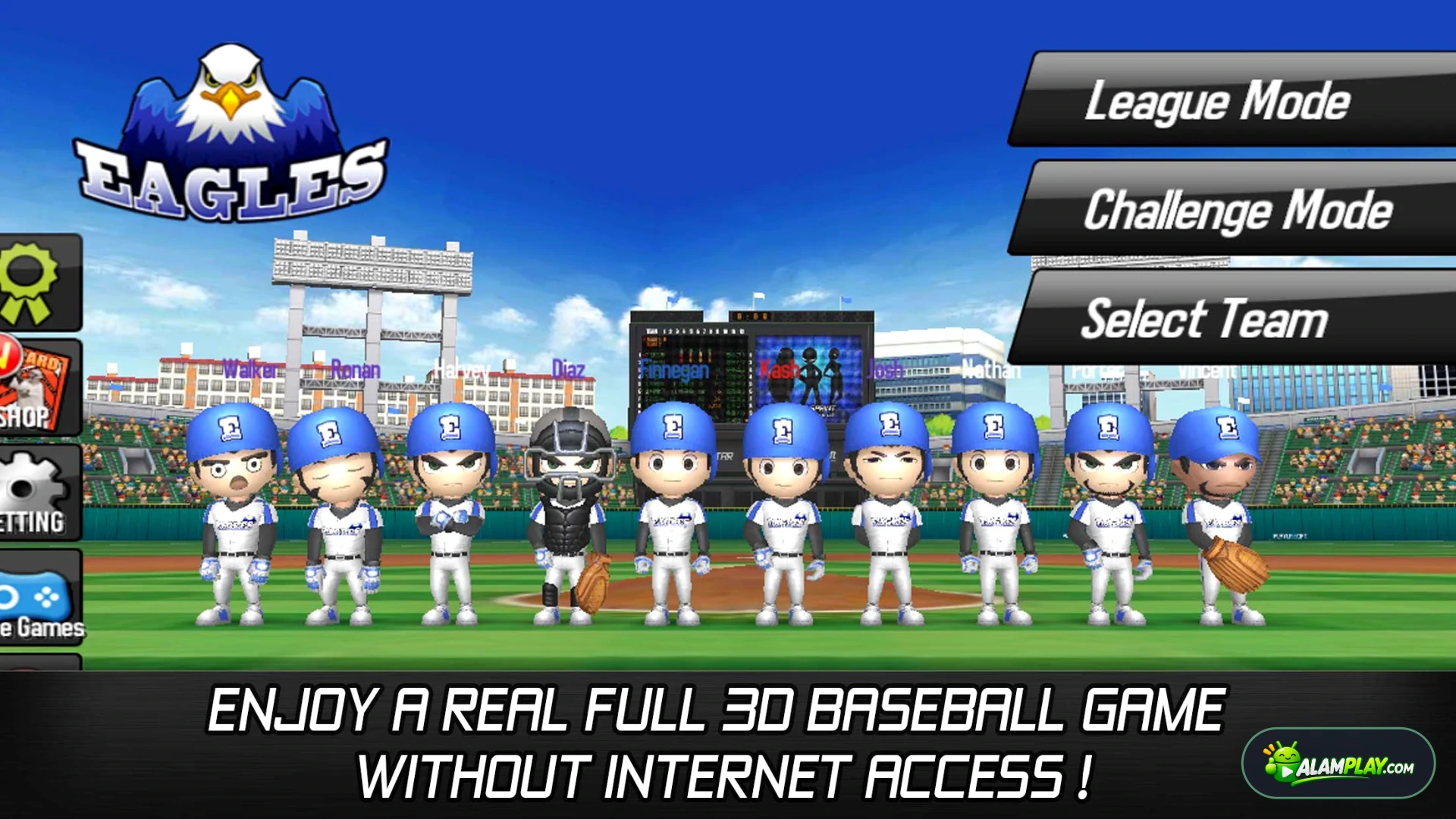
Yes, Baseball Star supports offline gameplay, allowing you to play baseball matches without a constant internet connection. Some connected functions and services can still require network access.
How do you play Baseball Star?
You manage a baseball team, organize its lineup, and compete in matches through manual or automatic gameplay. Improve your players, practice batting and pitching, and develop a balanced roster to perform better in league competition.
How do you get CP in Baseball Star?
CP is associated with the game's currency and progression searches, but the exact earning methods and spending functions aren't established for every version. Check the currency information inside your installed game rather than assuming all resources work identically.
Does Baseball Star v1.7.9 have unlimited CP and BP?
The MOD includes Unlimited Money and a feature described as preventing currencies from decreasing when spent. However, its details don't individually confirm unlimited CP and BP balances or establish that every currency is affected identically.
What's the difference between Baseball Star and Baseball Stars 2?
Baseball Star is a mobile baseball game developed by playus soft, while Baseball Stars 2 is a different baseball title associated with the older arcade series. They aren't interchangeable versions of the same Android application.
Can you play Baseball Star without controlling every match?
Yes, Baseball Star includes automatic gameplay that lets the game handle match actions while you concentrate on team management. Manual controls remain useful when you want more involvement in batting, pitching, and important decisions.
What is the latest version of Baseball Star?
The latest version of Baseball Star on AlamPlay is 1.7.9 (92 MB), updated on Feb 20. This page is refreshed whenever a new build is released.
Which Android version does Baseball Star need?
Baseball Star 1.7.9 needs Android 6.0 or newer. Older phones may install it but performance and stability are not guaranteed.
Final verdict
Baseball Star v1.7.9 offers a more flexible team-building experience through Unlimited Money and non-decreasing currency modifications, while its batting, pitching, and roster-management mechanics remain central to the game. The baseball star mod apk is most appealing to players who want fewer spending restrictions and understand the risks, while the official Google Play version remains my recommendation for secure, balanced progression.
baseball star mod apk Features
- All Currencies never decrease when you spent
- #app-info .collapse-row:not(.active) { display: none !important
- height: 0 !important
- overflow: hidden !important
- } #app-info .collapse-row:not(.active) th, #app-info .collapse-row:not(.active) td { height: 0 !important
- padding: 0 !important
- border: 0 !important
- line-height: 0 !important
- } #app-info .wp-block-table { margin-bottom: 8px
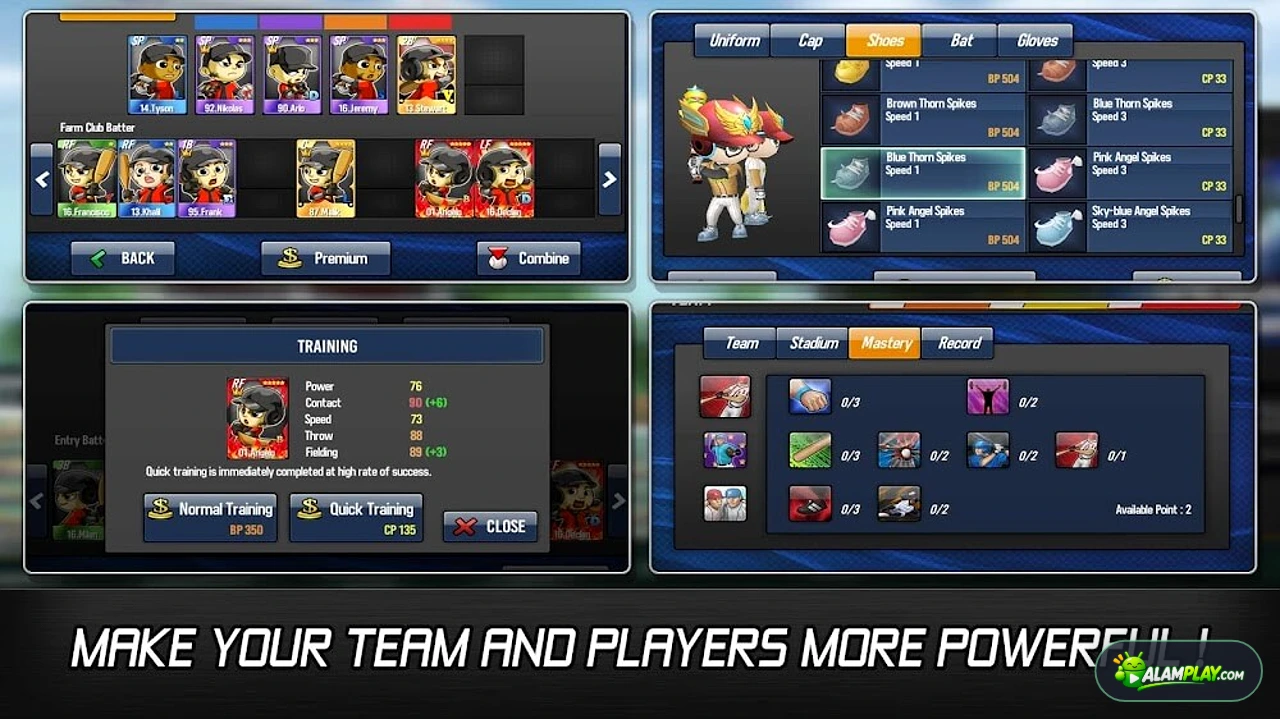
- Managers have to think hard about how to combine human resources, upgrade stats, and even adjust tactics for each match
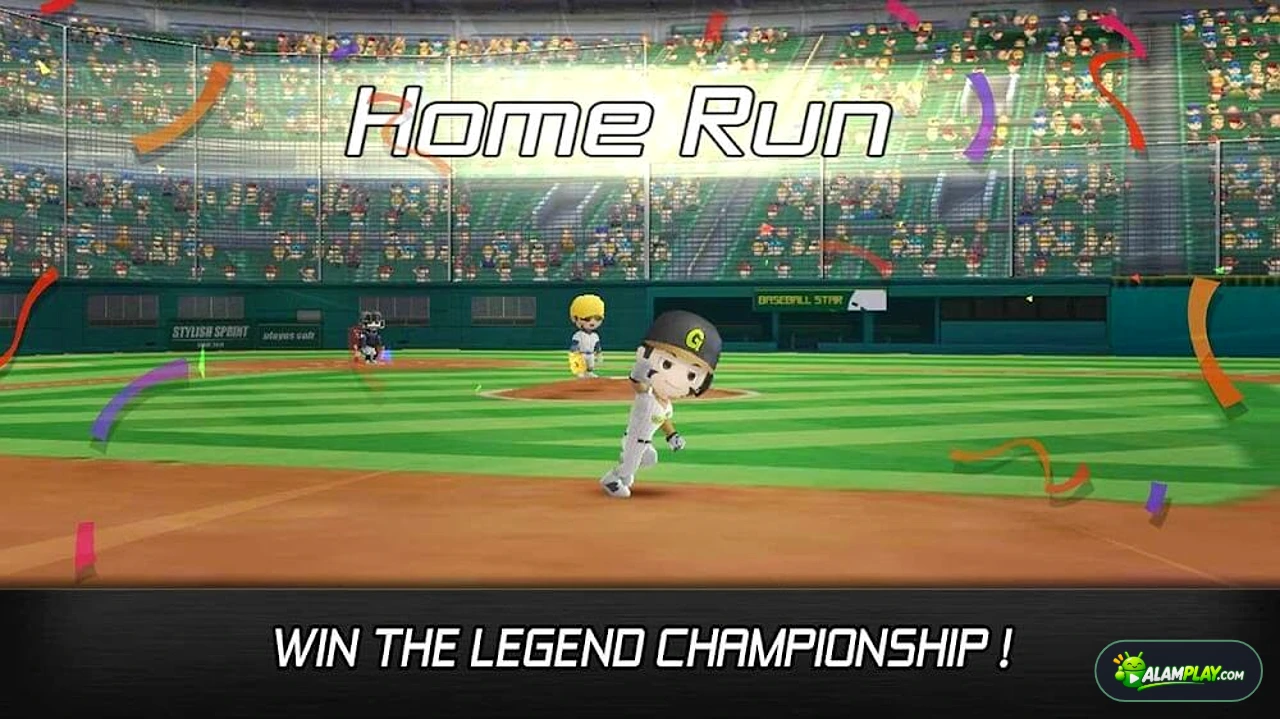
- The League tournament model in the game will allow you to play for cups in the world’s top tournaments
- Just exit the screen and connect to the network, and you’ll see Baseball Star become another version
Baseball Star Screenshots
How to Download and Install baseball star mod apk
- Open the download page
Tap Download Baseball Star. The download page opens with every mirror for this version.
- Pick your mirror
The free option is always available. The sponsored fast option is optional and only removes the wait.
- Allow the install
If Android asks, enable Install unknown apps for your browser or file manager (Settings › Apps › Special access).
- Install the file
Open the downloaded file and tap Install. If the file is an XAPK or comes with an OBB folder, follow our APK, XAPK & OBB install guide.
- Play
Launch Baseball Star and enjoy. New versions are posted on this page — bookmark it.