
The golf rival mod apk takes a competitive golf game built around precision, club selection, and difficult shots and introduces an Auto Win modification. In regular Golf Rival matches, a small mistake can change everything. You might judge the distance correctly but forget about the wind, or choose a powerful driver when a more controlled shot would have been safer. Winning takes practice, especially as opponents become more experienced.
Golf Rival v2.185.1 includes Auto Win, comes in a 138 MB APK, and requires Android 7.1. The last-update date is June 20, although specific gameplay changes for this release aren't confirmed. If you're searching for the golf rival mod apk latest version, understand that Auto Win is the only identified modification. Its behavior in online matches isn't independently verified, and modified applications carry security and account risks. The official Google Play version remains the safer option.
Golf Rival APK Info
| App name | Golf Rival |
|---|---|
| Latest version | 2.185.1 |
| File size | 138 MB |
| Requires | Android 7.1+ |
| Developer | Zynga |
| Genre | Game |
| MOD features | Auto Win |
| Installs | 10M+ |
| Updated | Jun 20 |
| Google Play | com.sports.real.golf.rival.online |


What is Golf Rival MOD APK?
Golf Rival MOD APK is a modified Android version of Zynga's competitive golf game that includes an Auto Win feature. Players compete in golf matches, select clubs, account for wind, and improve their equipment through progression. Version v2.185.1 changes the intended competitive experience without confirming unlimited resources or unlocked equipment.
Golf Rival is built around head-to-head golf matches where your goal is to complete a hole in fewer strokes than your opponent.
The controls are approachable, but the decisions become increasingly demanding. You need to understand distance, choose appropriate clubs, and account for how the terrain and wind affect each shot.
Unlike a traditional golf simulator that requires complicated movement controls, Golf Rival focuses on aiming, timing, and making the right equipment choices.
That simplicity is deceptive.
A shot that looks perfectly aligned can land short because of wind resistance. Another can travel farther than expected, bounce beyond the green, and leave you with a difficult recovery.
Why players keep returning
The competitive structure gives each match a clear purpose.
You face an opponent, make your shots, and try to finish with a better result. Different courses create new challenges involving bunkers, water hazards, elevation, and difficult landing areas.
As you progress, improving your clubs becomes increasingly important.
A driver that works well during early matches won't necessarily remain your strongest option. Different clubs offer advantages in power, accuracy, spin control, and other performance characteristics.
You also encounter competitions and tournament-style challenges where preparation matters.
Golf Rival has a Google Play rating of 3.5 and more than 10 million installs. Its combination of quick matches and equipment development gives players reasons to keep improving.
The part I like most is how much one carefully planned shot can matter. You don't need a complicated sequence of actions to feel the difference between a smart decision and a costly mistake.
What the MOD changes
The defining feature of Golf Rival v2.185.1 is Auto Win.
In the original game, winning depends on your performance during a match. You must hit accurate shots, handle difficult terrain, and finish holes efficiently enough to defeat your opponent.
The modified version introduces an Auto Win feature intended to change how victories are determined.
However, the exact activation method and its compatibility with different online competitions aren't established.
| Feature | Original game | MOD APK |
|---|---|---|
| Match results | Determined by normal gameplay | Auto Win modification |
| Competitive progression | Depends on match outcomes | Intended to reduce normal victory requirements |
| Shot accuracy | Requires player skill | No confirmed automatic aiming |
| Club collection | Standard progression | No confirmed unlocked clubs |
| Money and resources | Normal game economy | No confirmed unlimited resources |
| Wind mechanics | Normal wind effects | No confirmed wind removal |
| MOD menu | Not included | Not confirmed |
| Online compatibility | Official supported environment | Modified behavior isn't guaranteed |
How does Auto Win affect gameplay?
Auto Win is designed to reduce the difficulty associated with obtaining victories.
That sounds attractive when you're facing tougher opponents or repeatedly losing close matches.
But there is an important distinction between a feature called Auto Win and confirmed server-side match results.
Golf Rival is a competitive game with connected functionality. A modification on your device doesn't necessarily control the official game's systems.
For that reason, Auto Win should not be treated as a guaranteed victory in every mode.
The modification also doesn't establish that the game automatically performs perfect swings, chooses clubs for you, or removes the need to understand golf mechanics.
Does Auto Win include unlimited resources?
No unlimited currency feature is confirmed for this release.
Players sometimes confuse different modified versions and expect them to contain the same benefits.
Golf Rival v2.185.1 identifies Auto Win as its modification.
That doesn't establish unlimited coins, instant equipment upgrades, unlocked legendary clubs, or unrestricted access to tournaments.
If you're considering this version because you want faster equipment progression, remember that an automatic victory feature and a resource modification are different things.
Does Golf Rival have a MOD menu?
A dedicated MOD menu isn't confirmed in v2.185.1.
Some modified Android applications provide menus for enabling individual functions, but this package doesn't establish that capability.
Don't expect additional controls for club power, wind, shot accuracy, or opponent behavior unless those features are specifically verified.

Gameplay tips that actually help
Golf Rival becomes more interesting when you stop treating each shot as a simple test of power.
Understanding the course and your equipment can make a greater difference than trying to hit every ball as far as possible.
- Check the wind before aiming: Wind changes where the ball travels. Aiming directly at the target without accounting for its direction can create an unnecessary miss, particularly on long shots.
- Choose clubs for control, not just distance: A powerful driver is useful when you need maximum range, but a more accurate club can be better when the landing area is narrow or surrounded by hazards.
- Plan your next shot: Don't focus exclusively on the current landing position. Think about the angle and distance you'll face afterward, especially when approaching a difficult green.
- Use spin carefully: Backspin and topspin influence how the ball behaves after landing. Their usefulness depends on the club, ball, and terrain, so avoid applying the same spin to every shot.
- Practice your release timing: A good aim can still produce a poor result if your swing timing is inconsistent. Concentrate on repeatable releases instead of rushing because an opponent is waiting.
- Respect hazards: Water and bunkers can turn a manageable hole into a difficult recovery. A slightly shorter shot onto safe ground is often better than a risky attempt near the edge of a hazard.
How to read the Golf Rival wind chart
Wind is one of the most important mechanics to understand.
The game provides information about wind strength and direction, but applying that information requires knowing how your selected club and ball behave.
A golf rival wind chart can help players understand the relationship between displayed wind values and aim adjustments.
However, there isn't one universal adjustment that works for every club.
Different equipment can have different accuracy, range, and wind-related characteristics.
When the wind is strong, the safest approach is to evaluate the shot's expected landing position instead of following a memorized adjustment without considering the equipment.
For practice, compare the intended landing point with the actual result.
If your shots repeatedly finish to one side of the target, study how wind direction contributed to that difference.
Choosing the right ball
Golf balls can influence how a shot behaves.
Depending on the available ball type, attributes can affect distance, wind resistance, and shot control.
This makes ball selection part of the strategy rather than a purely cosmetic choice.
For example, a ball suited to controlling wind can be useful when the course has exposed landing areas.
A different ball may be more appropriate when distance is the main concern.
The smartest approach is to save specialized equipment for situations where its advantages solve a real problem.
A practical golf rival ball guide should always begin with the course conditions, not simply the most valuable-looking ball.
What's new in v2.185.1
Golf Rival v2.185.1 is the modified release covered here, with Auto Win as its identified feature.
The APK size is 138 MB, its Android requirement is Android 7.1, and its last-update date is June 20.
There isn't a confirmed detailed changelog describing new courses, clubs, tournaments, gameplay adjustments, or technical fixes for this specific build.
That distinction matters when evaluating a golf rival new update.
Should you update your existing game?
Before changing versions, check whether your existing installation works correctly and whether your saved progress is protected.
Android uses application signatures to manage updates.
A modified APK can have a different signing certificate from the official game, which can prevent a normal replacement installation.
If your progress is linked to a supported account, confirm that the account is accessible before making changes.
Avoid removing a functioning installation simply because another APK displays a higher version number.
Is v2.185.1 the latest version?
Version v2.185.1 is the release addressed on this page, but it shouldn't automatically be considered the newest official version.
Searches such as golf rival update today or golf rival apk latest version often involve different release channels.
An official update can become available independently of a third-party modified release.
Likewise, an older search such as golf rival mod apk 2.76 1 refers to a different version number and doesn't establish compatibility with v2.185.1.
For current official releases, check Google Play.
Beginner mistakes and the best upgrade order
Club development matters because every course presents different challenges.
Spending resources without considering how your clubs work together can leave you struggling even after several upgrades.
Here's the progression order I'd recommend.
- Learn your current clubs before replacing them. Understand their range, accuracy, and spin capabilities. A familiar club can be more useful than a stronger one you don't know how to control.
- Prioritize a reliable driver. Your opening shot determines the position of your next attempt. A driver that provides useful distance and predictable control helps create better opportunities.
- Improve your wood for longer approaches. Woods become valuable when you need to cover significant distance after the tee shot. Better performance here can reduce the number of difficult recovery situations.
- Develop accurate irons. Irons help when approaching the green or positioning the ball in tighter areas. Accuracy becomes increasingly valuable as the available landing area becomes smaller.
- Keep your wedge options useful. Even experienced players occasionally land in difficult positions. A dependable wedge helps you recover when your intended approach doesn't work.
- Don't spend everything on one club. Improving a single powerful driver while neglecting other equipment can create weaknesses later in a hole. A balanced bag gives you more choices.
- Save specialized resources for meaningful improvements. Coins, club cards, and other progression resources have different roles. An Auto Win modification doesn't confirm that those restrictions disappear.
The club upgrade order I'd follow
My preference is to build a dependable set rather than chase the most impressive club immediately.
Start with the driver you use most often.
Then evaluate your primary wood and the irons responsible for approach shots.
After that, improve recovery equipment based on the situations that repeatedly cost you strokes.
This order helps because the best opening drive means little if you can't finish the hole effectively.
What about the Bat Wings club?
Bat Wings is a well-known legendary driver in Golf Rival.
It's attractive because of its usefulness for powerful opening shots and long-term equipment development.
But obtaining a strong club doesn't automatically solve every course.
You still need to understand how to aim, account for wind, and choose a suitable landing area.
If Bat Wings is available through eligible rewards or offers in your current game, compare its development requirements with your existing driver before committing resources.
A common mistake with powerful clubs
Players sometimes assume that maximum distance always produces the best result.
That's not how golf works.
On a course with narrow fairways or difficult hazards, an aggressive shot can create a worse position than a controlled one.
A good golf rival guide should teach you to recognize when power helps and when accuracy matters more.
golf rival mod apk vs the original game
Choosing between the official game and the modified release depends on what you enjoy.
Golf Rival is fundamentally competitive. Much of its appeal comes from improving your equipment, judging difficult shots, and winning through better decisions.
The MOD changes the intended match experience with Auto Win.
| Category | Official Golf Rival | MOD v2.185.1 |
|---|---|---|
| Distribution | Google Play | Third-party APK |
| Match victories | Normal competitive results | Auto Win modification |
| Shot controls | Standard golf mechanics | No confirmed automatic aiming |
| Club upgrades | Normal progression | Standard restrictions not confirmed removed |
| Currency | Regular game economy | No confirmed unlimited money |
| Multiplayer compatibility | Official supported environment | Modified-client compatibility uncertain |
| Game updates | Official distribution | Requires checking modified build compatibility |
| Account security | Official application environment | Additional security and restriction risks |
| Best audience | Competitive and long-term players | Players interested in altered match behavior |
Who should choose the MOD?
The modified version is relevant to players specifically interested in experimenting with Auto Win.
However, because Golf Rival relies on competitive connected systems, modified results aren't guaranteed to function consistently or be accepted by the game.
That makes the MOD a less dependable option for anyone interested in preserving long-term progression.
Who should stay with the original?
The official version is the better choice for players who enjoy fair competition, improving their skills, and developing a club collection over time.
It's also the sensible option for anyone with a valuable account.
Personally, I think Golf Rival is most satisfying when you win because you judged the wind correctly or made a smarter club choice than your opponent.
Removing that challenge also removes part of what makes close matches rewarding.
Common problems and quick fixes
Golf Rival uses package name com.sports.real.golf.rival.online and requires Android 7.1.
Compatibility problems can come from outdated software, conflicting installations, missing resources, or issues connecting to game services.
- App not installed: Check available storage and whether another installation uses a different signing certificate. Protect your existing progress before removing an application.
- Parse error: Confirm that your Android device meets the version requirement and that the APK isn't damaged or incomplete.
- Crash on launch: Restart your device, close unnecessary background applications, and check compatibility. Don't clear game data before securing your progress.
- Black screen: Restart the game and check available memory and storage. Persistent problems can indicate an incompatible application build.
- Stuck on loading: Check your internet connection and whether game services are available. Modified applications can experience problems when they don't match server requirements.
- Lost progress or login failure: Check your account connection and supported recovery methods. Different builds and signing certificates can complicate normal account behavior.
Why Golf Rival keeps crashing
A crash doesn't always mean the phone is too weak.
The problem can involve application compatibility, insufficient available memory, corrupted data, or a connection issue.
Start with simple checks.
Restart the phone, free some storage space, and close unnecessary applications.
If the official version works but a modified release crashes, the difference can involve the altered application rather than your hardware.
Avoid deleting account information or local data before determining how your progress is stored.
What to check before replacing an APK
Make sure you understand whether your progress is linked to a recoverable account.
Then check whether the replacement package is compatible with your current Android version.
Golf Rival has online functionality, so application compatibility isn't the only consideration.
Server-side version requirements can affect whether a modified client operates correctly.
For someone looking for a golf rival apk download, these checks matter more than simply choosing the file with the largest version number.
Performance, battery and storage tips
Golf Rival is a 3D sports game that combines course environments, animations, ball physics, and online interaction.
The APK is 138 MB, but the complete storage requirement can be larger once app data and temporary files are considered.
Settings for low-end phones
Start by checking the Android requirement.
Version v2.185.1 targets Android 7.1, but meeting the operating system requirement alone doesn't guarantee perfect performance.
Close memory-heavy background applications before launching the game.
If graphics-quality options are available, prioritize smooth gameplay over unnecessary visual detail.
Avoid recording the screen while troubleshooting performance problems.
Battery-saving settings can also interfere with background connectivity or application responsiveness.
The best configuration is one that keeps aiming and shot timing consistent.
Settings for high-end devices
A more powerful phone can handle the game's graphics more comfortably, but stable performance still matters.
Use the game's available graphics settings rather than forcing unsupported changes.
If responsiveness becomes inconsistent, check device temperature, battery restrictions, and background activity.
Network stability deserves attention too.
A high-end phone won't solve a match interrupted by an unstable connection.
Why a stable connection matters
Golf Rival is centered on connected competitive play.
Connection interruptions can interfere with matchmaking, loading, or ongoing games.
If you're experiencing problems, test a stable Wi-Fi or mobile-data connection.
Avoid switching networks during a competitive session when possible.
Players searching for golf rival offline should know that the game isn't designed as a complete offline golf experience.
Pros and cons
Pros
- Auto Win is the identified modification.
- Familiar golf gameplay with aiming and wind management.
- Different clubs support varied playing styles.
- Competitive courses reward thoughtful shot selection.
- Equipment development gives players long-term objectives.
- Supports Android 7.1 devices.
Cons
- Auto Win functionality in online matches isn't independently verified.
- Modified applications introduce additional security risks.
- Competitive gameplay loses some of its intended challenge.
- No confirmed unlimited resources or unlocked legendary clubs.
- Account progression can be affected by version incompatibility.
- No verified detailed changelog for v2.185.1.
Is it safe?
The official Golf Rival application on Google Play is the safer choice.
Modified APKs are altered versions of applications, and their behavior can differ from the original.
A correct package name and familiar game interface don't establish that a modified file is trustworthy.
Scanning files is a useful security precaution, but no scanner guarantees complete protection.
Golf Rival's download page offers one mirror. The existence of that mirror doesn't establish that its file will always work or that it has passed a comprehensive security assessment.
Avoid granting unnecessary permissions and be cautious about entering important account credentials into unverified applications.
Before changing your installation, protect your progress through supported account features.
There is another important concern: Auto Win affects competitive fairness.
Using a modified application to interfere with match outcomes can violate game rules and potentially result in account restrictions.
A different account doesn't remove the security concerns or make prohibited modifications acceptable.
If you value reliable matchmaking, account protection, and normal competitive progression, choose the official Google Play version.
Use modified applications at your own risk.
Frequently Asked Questions
How do you play Golf Rival?
Choose a club, aim your shot, account for wind and terrain, and release the swing with careful timing. Your goal is to complete each hole in fewer strokes than your opponent, while improving equipment as you progress.
Is Golf Rival free to play?
Yes, Golf Rival is a free-to-play mobile golf game with optional in-app purchases. You can access the official application through Google Play on compatible Android devices.
Are there Golf Rival cheats that actually work?
There is no reliable basis for treating unofficial cheats or promised automatic victories as guaranteed to work in every match. Golf Rival's connected systems can reject modified behavior, while unfamiliar third-party tools create security and account risks.
Can you play Golf Rival offline?
No, Golf Rival is primarily a connected multiplayer golf game and shouldn't be treated as a complete offline experience. Auto Win doesn't establish offline functionality.
Does Golf Rival use bots?
No, you shouldn't assume every opponent is a bot. Golf Rival is designed around competitive matches, but the exact opponent-matching systems and use of automated opponents aren't confirmed here.
How do you get Bat Wings in Golf Rival?
Bat Wings is a legendary driver associated with the game's club progression system. Check the currently available legendary-club rewards and offers to determine how it can be acquired in your version, since availability can depend on active game features and progression.
What is the latest version of Golf Rival?
The latest version of Golf Rival on AlamPlay is 2.185.1 (138 MB), updated on Jun 20. This page is refreshed whenever a new build is released.
Which Android version does Golf Rival need?
Golf Rival 2.185.1 needs Android 7.1 or newer. Older phones may install it but performance and stability are not guaranteed.
Final verdict
Golf Rival v2.185.1 offers an Auto Win modification for players interested in changing the normal competitive experience, but its online behavior isn't guaranteed and it doesn't confirm unlimited resources or automatic club upgrades. The golf rival mod apk is an option for players who understand those limitations, while the official Google Play release remains my recommendation for fair competition, dependable progression, and account security.
golf rival mod apk Features
- Auto Win
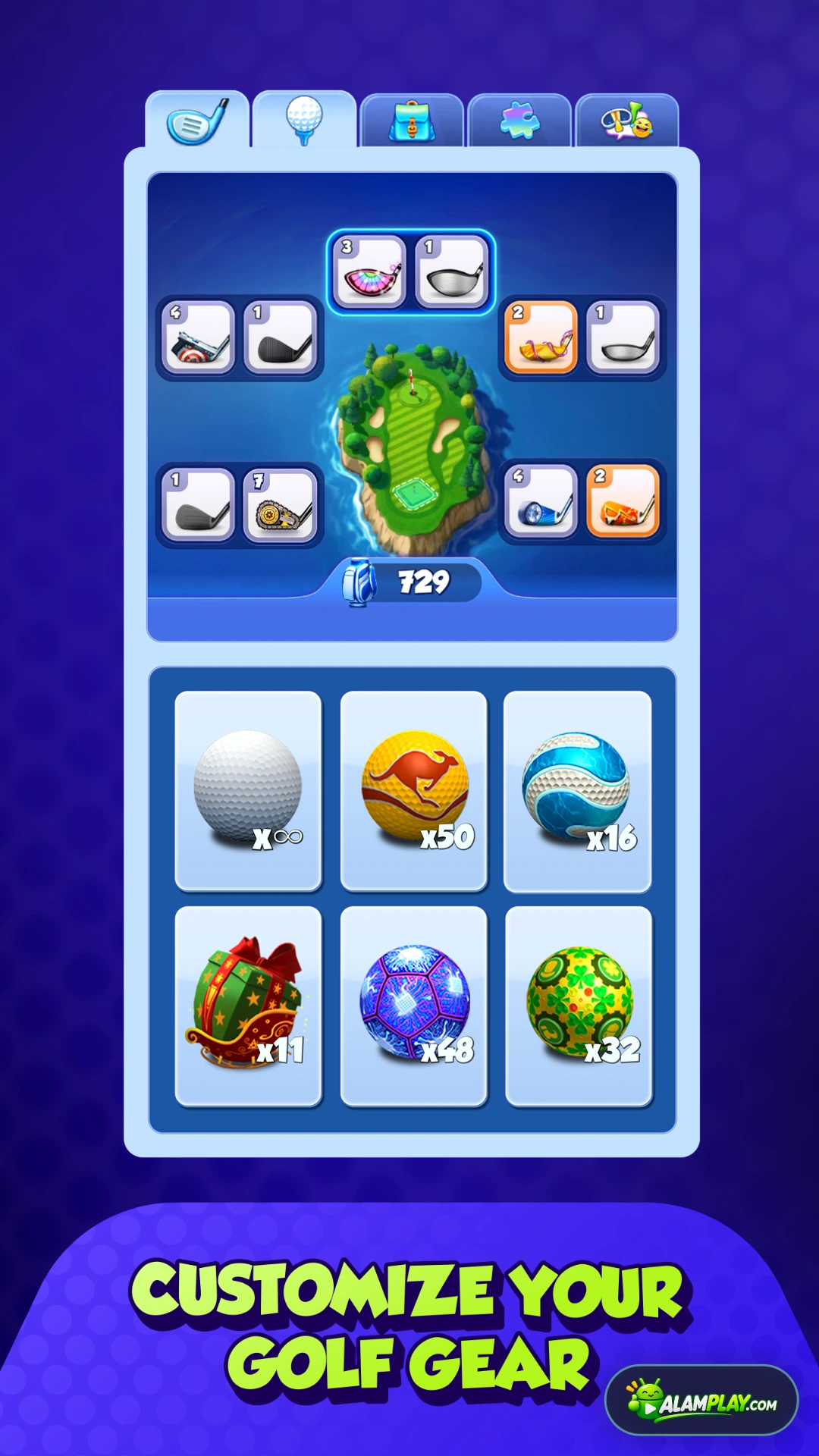
Golf Rival Screenshots



How to Download and Install golf rival mod apk
- Open the download page
Tap Download Golf Rival. The download page opens with every mirror for this version.
- Pick your mirror
The free option is always available. The sponsored fast option is optional and only removes the wait.
- Allow the install
If Android asks, enable Install unknown apps for your browser or file manager (Settings › Apps › Special access).
- Install the file
Open the downloaded file and tap Install. If the file is an XAPK or comes with an OBB folder, follow our APK, XAPK & OBB install guide.
- Play
Launch Golf Rival and enjoy. New versions are posted on this page — bookmark it.