
The plants vs zombies mod menu apk changes one of the most satisfying parts of this classic strategy game: building a defense before the zombies reach your house. Normally, every sunflower matters because you need enough sun to place your next plant. With unlimited resources, you can experiment with expensive defenses, recover from mistakes faster, and spend more time discovering creative ways to stop each wave.
Plants vs. Zombies v34.0.27 includes Unlimited Money, Sun, and a Mod Menu in a 100 MB package for Android 7 and newer. The modified version offers more freedom but carries security and compatibility risks that the official Google Play release avoids. There's also no confirmed gameplay changelog for v34.0.27, so don't assume it introduces new plants or levels. If you've been searching for a plants vs zombies download latest version, the key decision is whether you want the original resource-management challenge or a more relaxed experience.
Plants vs. Zombies APK Info
| App name | Plants vs. Zombies |
|---|---|
| Latest version | 34.0.27 |
| File size | 100 MB |
| Requires | Android 7+ |
| Developer | ELECTRONIC ARTS |
| Genre | Game |
| MOD features | Unlimited Money/Sun |
| Installs | 500M+ |
| Updated | Aug 13 |
| Google Play | com.ea.game.pvzfree_row |

What is Plants vs. Zombies MOD APK?
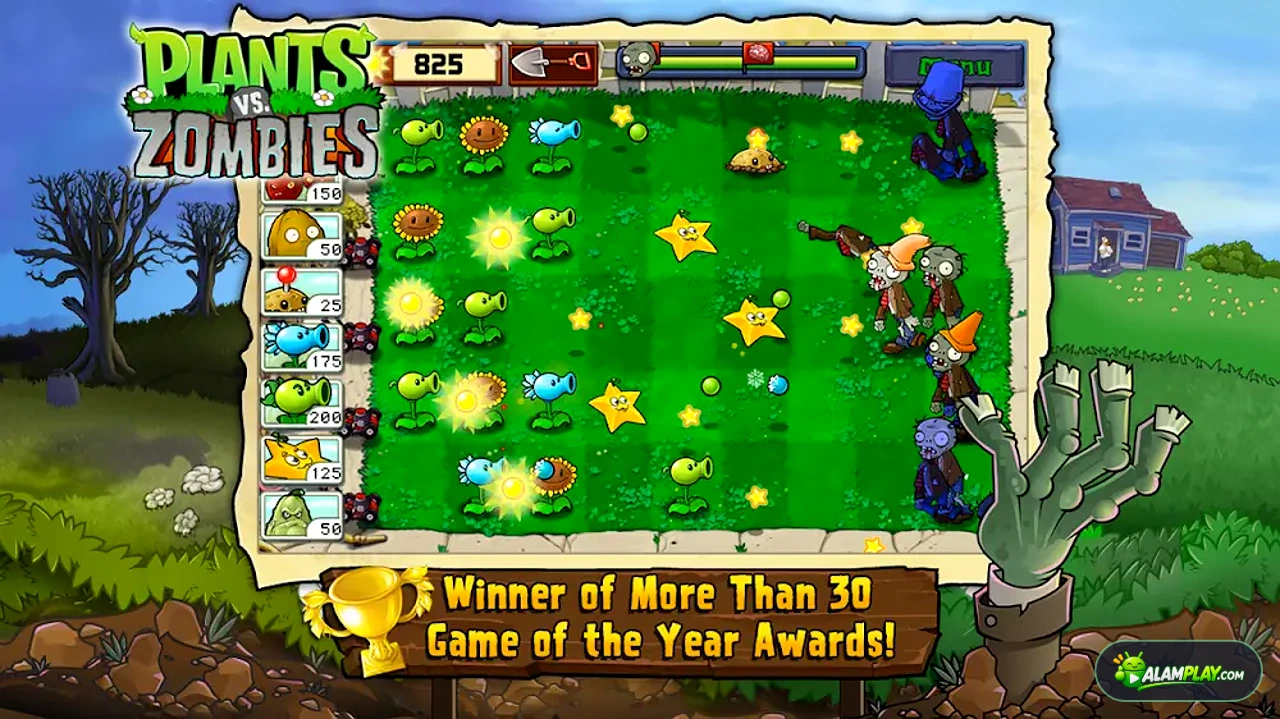
Plants vs. Zombies MOD APK is a modified Android version of Electronic Arts' tower-defense game that includes Unlimited Money, Sun, and a Mod Menu. You defend your home by placing plants across a lawn while increasingly difficult zombies approach. The modifications reduce resource limitations, allowing more freedom when building defenses.
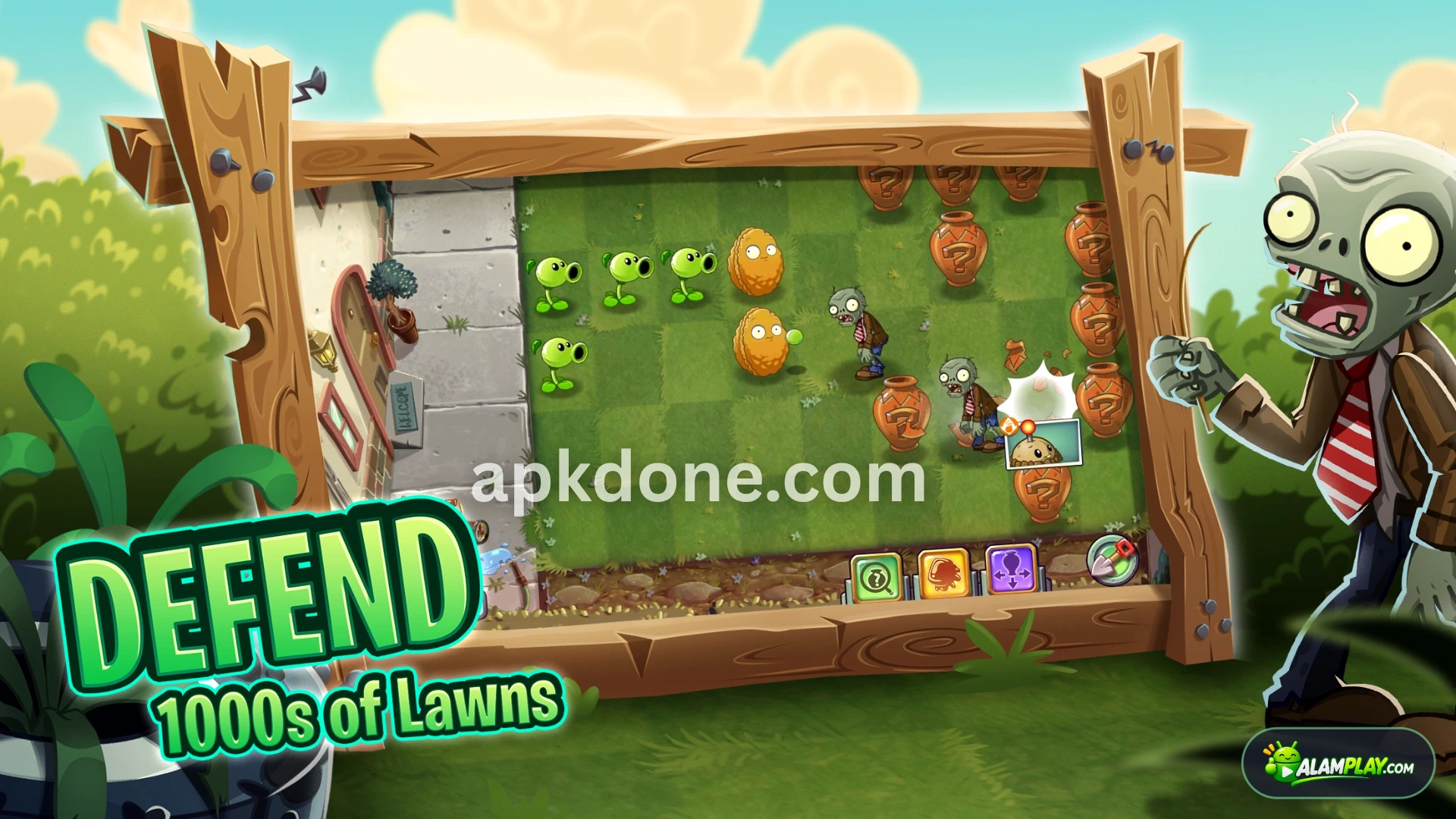
The idea behind Plants vs. Zombies is simple enough to understand within minutes. Zombies approach from the right, your house sits on the left, and the lawn between them becomes your battlefield. Each plant has a different job, from generating resources to damaging enemies or slowing their movement.
What makes the original game interesting is how these abilities interact. A Peashooter handles ordinary zombies, but a Buckethead can absorb considerably more damage. Wall-nuts buy time, while Cherry Bombs eliminate dangerous groups immediately. Choosing the right combination matters more than filling every available square.
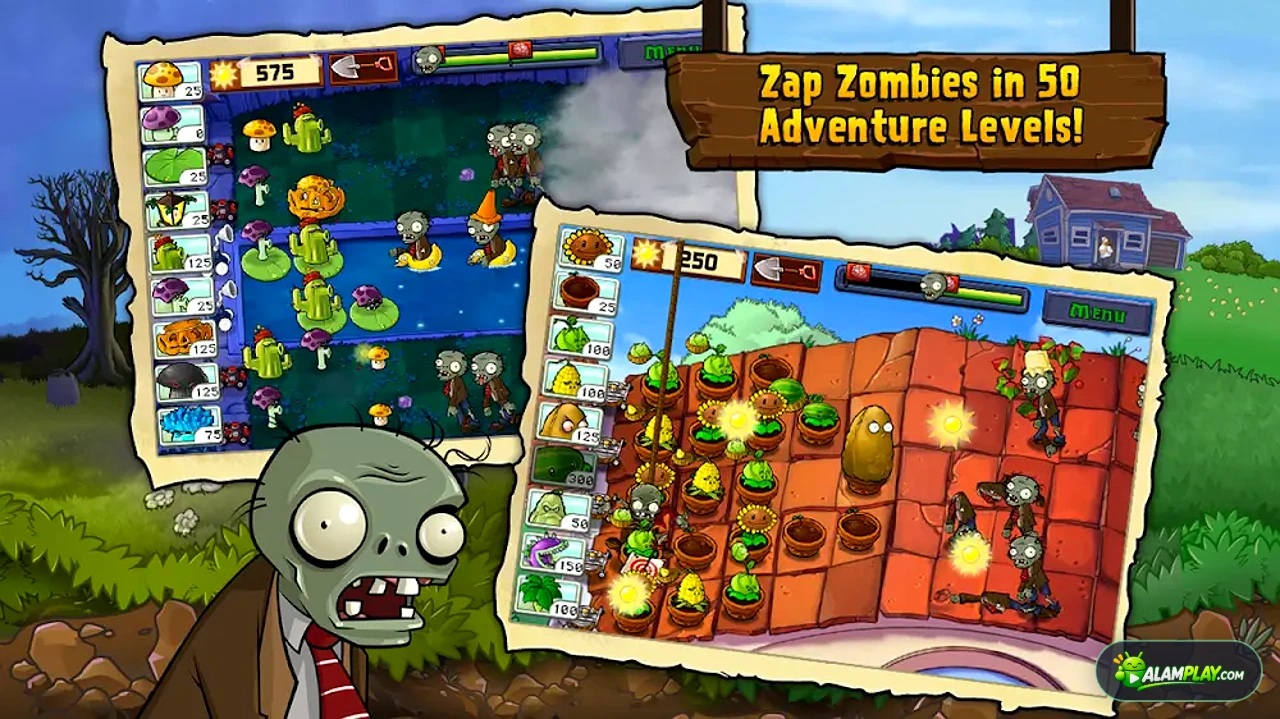
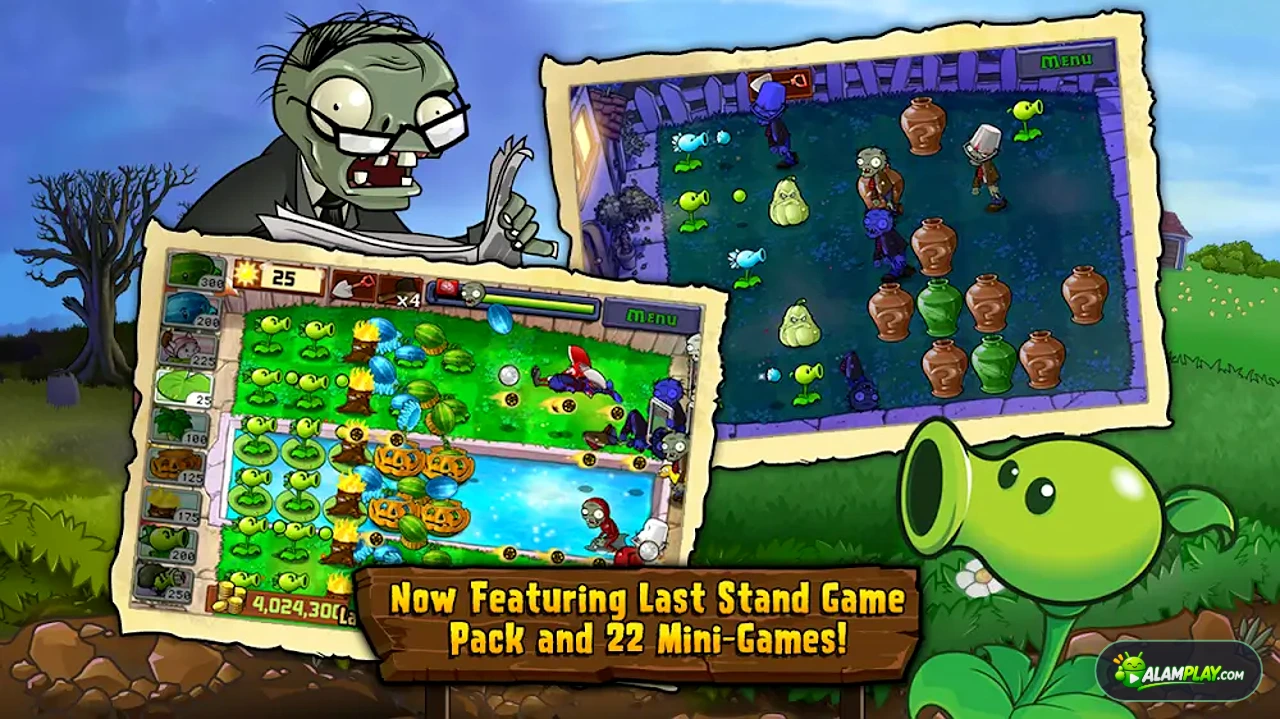
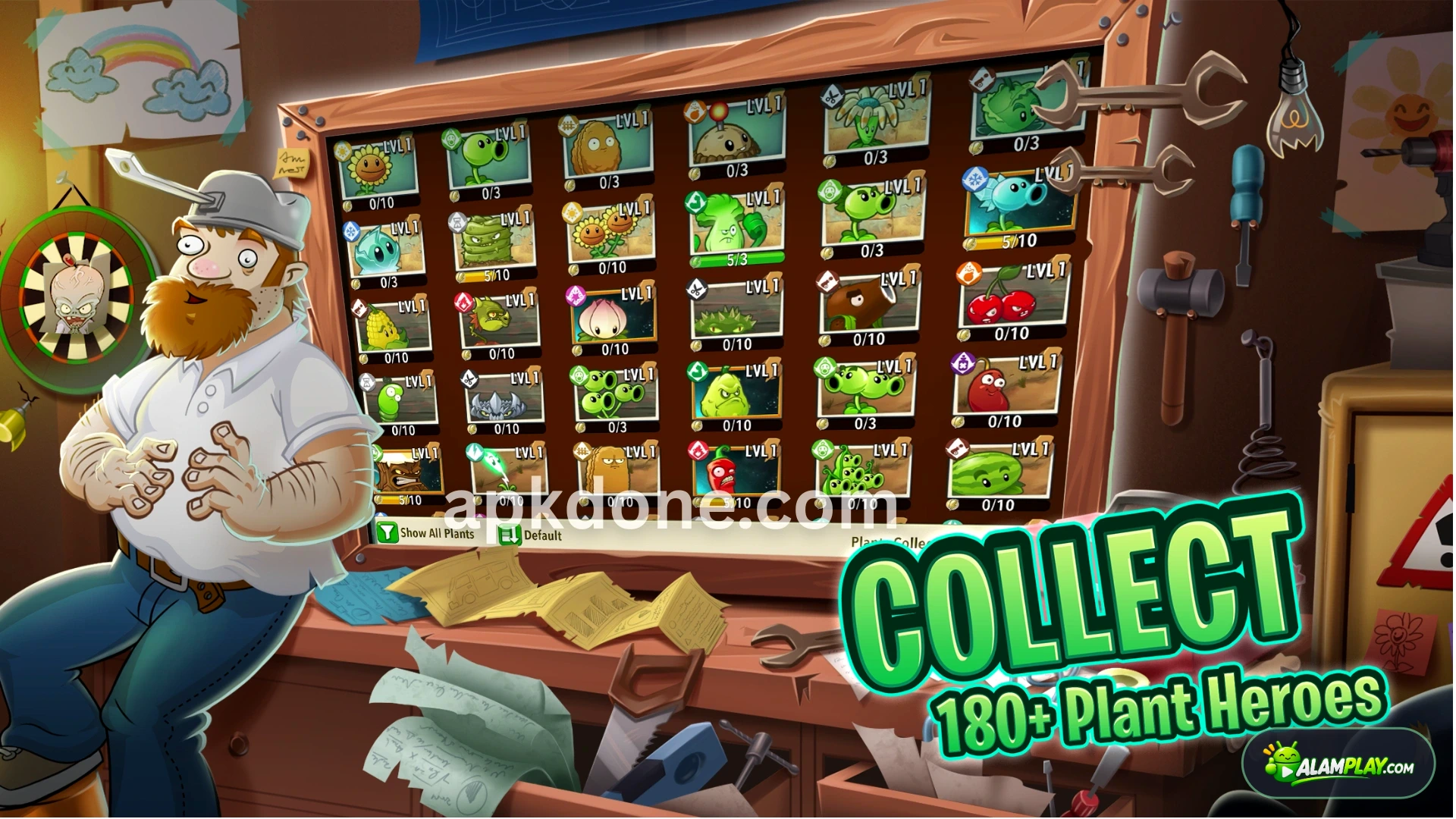
The game features 49 plants, 26 zombie types, and more than 50 levels spread across different environments. Daytime lawns give way to nighttime battles, swimming pools, fog-covered areas, and rooftop encounters. Each environment changes the plants you need and the mistakes you can afford.
Adventure Mode introduces the main mechanics progressively. Mini-games and other challenge modes, where available, provide different objectives and encourage alternative strategies.
There's a reason this game remains recognizable. You don't need complicated controls or fast reflexes. You need to recognize threats, plan ahead, and understand what each plant contributes.
Electronic Arts publishes the Android release, which has a Google Play rating of 3.7 and more than 500 million installs. For players interested in plants vs zombies for android, its familiar gameplay and straightforward touch controls remain major attractions.
What the MOD changes
The biggest difference is the removal of the normal pressure around collecting and spending resources.
In the original game, you start most levels with limited sun. Sunflowers produce more over time, but placing them costs resources that could have gone toward attacking plants. You constantly choose between improving your economy and protecting your lawn.
With unlimited sun, that decision becomes less restrictive. You can establish attacking rows earlier, replace destroyed defenders more easily, and experiment with combinations that would otherwise require careful saving.
Unlimited Money affects the game's coin economy. Coins are separate from the sun used to place plants during battles. They support purchases and progression-related spending where those options are available.
The Mod Menu provides an interface for the modified functionality. However, its presence doesn't establish that every feature has an individual toggle, and it doesn't mean every plant or game mode is automatically available.
| Feature | Original game | MOD APK |
|---|---|---|
| Sun resources | Generated and collected during levels | Unlimited Sun |
| Money | Earned through gameplay | Unlimited Money |
| MOD menu | Not included | Included |
| Plant selection | Depends on game progression | Normal progression rules can still apply |
| Defensive strategy | Resource timing is essential | Greater freedom to experiment |
| Difficulty | Balanced around limited resources | Resource pressure is reduced |
| Security | Distributed through Google Play | Requires extra caution with third-party files |
Unlimited Sun changes your early-game strategy
Sunflowers are traditionally among your first priorities. They take up valuable squares, but their resource production makes later defensive plants affordable.
When sun stops limiting your choices, you can build a stronger opening defense without waiting for several collection cycles. This is particularly useful when experimenting with expensive plants or recovering from an unexpected zombie attack.
Don't confuse unlimited sun with invincibility, though. Plants still have different attack patterns, zombies use special abilities, and poor positioning can still leave an opening.
Unlimited Money gives you more spending flexibility
Coins have a different purpose from sun. Instead of powering individual placements, they support the game's purchasing systems.
With Unlimited Money, you can focus less on accumulating currency and more on deciding which available purchases actually improve your experience.
It's worth checking the available upgrades before spending. More money doesn't automatically grant access to items that remain restricted by gameplay progression.
What the Mod Menu actually means
A Mod Menu identifies the modified version and provides access to its included functionality. The confirmed benefits here are Unlimited Money and Sun.
It doesn't establish support for extra damage, instant wins, unlimited health, or automatically completed levels. Those are separate modifications and shouldn't be expected from this release.
Gameplay tips that actually help
Even with unlimited resources, Plants vs. Zombies rewards good positioning. A powerful plant placed in the wrong lane can be less useful than a cheap defender positioned correctly.
- Build from the house outward: Keep your main attacking plants behind defensive barriers. Peashooters and Repeaters benefit from uninterrupted shooting time, while Wall-nuts slow approaching zombies.
- Identify dangerous zombies early: Buckethead Zombies require sustained damage, while Pole Vaulting Zombies can bypass certain obstacles. A strong defense accounts for enemy abilities rather than simply increasing the number of plants.
- Use instant attacks deliberately: Cherry Bombs and Squash are excellent emergency tools. Save them for enemies that threaten your formation or for groups that would otherwise overwhelm a lane.
- Adapt to the environment: Pool stages require aquatic placement support such as Lily Pads, while rooftop stages rely on Flower Pots and plants suited to the roof's layout. A strategy that works on ordinary grass won't automatically work everywhere.
- Combine slowing and damage: Snow Peas can slow approaching enemies, giving offensive plants more time to attack. This combination is useful against tougher zombies that can survive several normal hits.
Why more plants doesn't always mean better defense
A lawn covered with attacking plants can still fail if zombies reach an unprotected row.
For example, placing several Peashooters in one lane might destroy ordinary enemies quickly. But if another lane contains only one weak attacker, a faster zombie can create an immediate problem.
Try building balanced rows before concentrating damage in one area. Once every lane has adequate protection, use extra resources to reinforce the sections facing the toughest enemies.
This approach also makes the original game easier to understand if you later return to normal resource limits.
Learning from difficult levels
Some challenges change the environment rather than simply increasing the zombie count.
Nighttime levels introduce mushroom-based strategies. Fog can limit visibility, and pool stages expand the battlefield with water lanes. Rooftop stages alter how certain projectiles behave.
Instead of using the same formation everywhere, identify the level's special requirement first. Then choose the plants that directly address it.
That's where the game becomes more interesting than a basic tower-defense title. Your placement decisions matter, even when money isn't an obstacle.
What's new in v34.0.27
Plants vs. Zombies v34.0.27 is available here as a 100 MB Android package, with Unlimited Money, Sun, and a Mod Menu.
The last-update date is August 13. There isn't a verified change-by-change record establishing new zombies, plants, stages, or gameplay adjustments for this particular build.
That distinction matters because version numbers alone don't explain what changed.
If you're considering a plants vs zombies update from v32.0.10, focus on practical compatibility questions before replacing your existing installation.
Should you update from v32.0.10?
Both v34.0.27 and v32.0.10 appear among the available versions.
Version v34.0.27 is the newer numbered release, but a higher version number doesn't guarantee better performance on every device. Existing save data and modified files can also complicate upgrades.
Before changing versions, preserve any progress that matters to you. Avoid assuming that installing a newer package will always retain an existing save.
Is this the same as Plants vs. Zombies: Replanted?
No. Plants vs. Zombies: Replanted is a separate release, not another name for this Android MOD.
Searches for a plants vs zombies replanted update refer to that different edition. Likewise, plants vs zombies 2 latest version searches concern the sequel, not the original game covered here.
The distinctions are important because these games have different content, platforms, and update schedules.
Players searching for plants vs zombies for android 4.0 or plants vs zombies android 4.4.4 should also know that v34.0.27 requires Android 7 or newer.
Beginner mistakes and the best upgrade order
Unlimited resources can make a game easier, but they can also encourage habits that don't work when challenges become more demanding.
Here are the decisions I would prioritize when learning Plants vs. Zombies.
- Learn what each plant does before filling the lawn. A Peashooter and a Snow Pea don't serve identical purposes. One provides straightforward damage, while the other adds slowing effects. Understanding those differences helps you build more reliable combinations.
- Prioritize useful seed-slot capacity when available. More room for different plant types lets you respond to tougher levels. A varied selection often provides more value than repeatedly choosing plants that perform the same job.
- Invest in versatile defensive options. Plants that block, slow, or handle special zombie types remain useful across many stages. These should generally receive attention before purchases that only help with narrow situations.
- Don't abandon Sunflowers immediately. Unlimited Sun removes much of their normal economic purpose, but learning how sun production works is valuable if you ever return to the official version. It also helps you understand why some original strategies are designed around delayed offense.
- Avoid depending entirely on instant-damage plants. Cherry Bombs are effective, but they don't replace a sustainable defense. A permanent attacking line handles ordinary enemies while emergency plants deal with unexpected threats.
- Match your purchases to your current progression. Unlimited Money is most useful when you understand the available upgrades. Prioritize practical options that strengthen your preferred strategies instead of purchasing everything without considering its purpose.
- Keep a backup before making major changes. Game updates and modified installations can interfere with progress. If you care about completed levels or purchases, protect that progress before experimenting with another build.
The upgrade order I'd follow
For a typical playthrough, I'd prioritize useful seed slots first, followed by flexible defensive options, then specialized plants for particular stages.
After that, I'd consider convenience purchases and optional extras.
This order isn't based on making the most expensive purchase first. It's based on solving the problems that actually stop your progress.
Unlimited Money makes those decisions less stressful, but understanding the value of each purchase still matters.
plants vs zombies mod menu apk vs the original game
Choosing between the MOD and the official release comes down to what you enjoy about Plants vs. Zombies.
Some players love carefully building an economy and surviving with limited resources. Others prefer experimenting with unusual formations without spending most of a level waiting for enough sun.
| Category | Official Plants vs. Zombies | MOD version v34.0.27 |
|---|---|---|
| Publisher distribution | Google Play | Third-party APK |
| Sun management | Standard resource limits | Unlimited Sun |
| Money management | Normal earning system | Unlimited Money |
| MOD menu | No | Yes |
| Core gameplay | Original tower-defense experience | Same basic gameplay with resource modifications |
| Challenge balance | Designed around resource restrictions | Easier to build expensive defenses |
| Updates | Official distribution channel | Requires checking compatible modified releases |
| Security risk | Lower distribution-related risk | Higher third-party installation risk |
| Best audience | Players who enjoy balanced progression | Players who prefer experimentation |
Who should choose the MOD?
Choose the modified version if you already understand the game and want to explore plant combinations without its usual resource restrictions.
It's particularly appealing for replaying familiar stages, testing different defensive formations, and trying expensive strategies that normally take longer to develop.
Who should stay with the original?
Choose the official Google Play version if you're playing for the first time, want normal progression, or value security and update reliability.
The original resource economy is a major part of the game's design. Removing it too early can make several important mechanics feel unnecessary.
For a first playthrough, I prefer the original. The MOD makes more sense after you've experienced the intended challenge.
Common problems and quick fixes
Android APK compatibility depends on more than the version number displayed beside a download.
The game uses package name com.ea.game.pvzfree_row and requires Android 7 or newer. Conflicting installations, damaged files, and leftover data can all create problems.
- App not installed: Check available storage and whether another installation of the same package uses a different signing certificate. Back up your progress before removing an existing version.
- Parse error: Confirm that your phone runs Android 7 or newer. An incomplete or damaged APK can also trigger this message, so obtain a fresh copy if necessary.
- Crash on launch: Restart your phone, close unnecessary background apps, and verify that the installed build is compatible with your Android version. Avoid clearing game data before protecting saved progress.
- Black screen: Give the game time to initialize, then restart it if the display remains blank. Check storage pressure and whether any existing game files conflict with the installation.
- Stuck on loading: Verify that the necessary game files are present and that the app has enough free storage to operate. If the problem began after an update, compare behavior with your previously working version.
- Missing progress or login issues: Check whether the game is using the same save location and account as before. Different APK signatures or altered builds can interfere with normal account and data handling.
Why the game might stop working after an update
Android identifies applications through package names and signing certificates. Two packages with the same name but different signatures cannot normally replace each other through a standard update.
That can explain why an APK refuses to install even when your device meets the Android requirement.
Never delete a working installation simply to overcome an error without checking how its save data is stored.
For anyone planning a plants vs zombies mod apk update, progress protection should come before troubleshooting convenience.
Performance, battery and storage tips
Plants vs. Zombies doesn't rely on modern 3D graphics to create its challenge, but device performance still matters during busy levels.
The APK is 100 MB. You should keep additional free space available for normal app operation, temporary files, and game data rather than treating the download size as the total storage requirement.
Settings for low-end Android phones
On an older or less powerful device, start by closing memory-heavy background applications.
Disable unnecessary system overlays and avoid recording gameplay while troubleshooting lag. If your phone offers a performance or battery setting that limits background activity, test whether it improves stability.
Reduce unnecessary background syncing during play, especially when the device is already struggling.
Phones running Android 5 or older cannot meet this release's Android 7 requirement. Searching for plants vs zombies for android 5 won't make v34.0.27 compatible.
Settings for newer phones
A faster phone should handle ordinary gameplay comfortably, but aggressive battery management can still interrupt applications.
Use your phone's normal performance profile first. If animations become inconsistent, check background restrictions and available storage before changing unrelated system settings.
Avoid forcing unsupported graphics changes. The game doesn't need an extreme performance configuration to make its lane-defense mechanics enjoyable.
Can you play on Android TV or desktop?
The package targets Android devices, not a native desktop installation.
For plants vs zombies for android tv, compatibility depends on the television's Android environment and input support. Touchscreen-oriented controls may require another input method, and this build has no confirmed Android TV optimization.
A plants vs zombies download desktop search concerns a different platform or an Android emulator. The APK itself is not a Windows or macOS installer.
Pros and cons
Pros
- Unlimited Sun makes defensive experimentation easier.
- Unlimited Money reduces currency-related restrictions.
- The Mod Menu provides access to modified functionality.
- The familiar plant and zombie mechanics remain the main attraction.
- Multiple available versions offer a choice when considering compatibility.
Cons
- Resource management becomes less challenging.
- Modified packages carry additional security risks.
- Save compatibility isn't guaranteed between builds.
- The MOD doesn't establish that every plant or mode is immediately available.
- Official updates and modified releases may not install over each other cleanly.
Is it safe?
The official Google Play release is the safer choice because it comes through the game's normal distribution channel.
A modified APK carries additional risk. Changing an application's code can affect its behavior, and a familiar game title or matching version number doesn't guarantee that a third-party package is trustworthy.
Scanning APK files is a useful precaution, but no scan guarantees complete safety. Avoid granting unnecessary permissions, and don't enter sensitive account credentials into an application you cannot verify.
The download page offers two mirrors. If you're choosing between them, prioritize a trustworthy file and check that it matches the version you intended to obtain. A mirror being accessible doesn't establish the safety or reliability of its contents.
Back up your game progress before replacing an installed copy. If a modified application conflicts with the official release, recovering saves afterward can be difficult.
The original Plants vs. Zombies is primarily a single-player experience, but modified software can still create account or service risks when connected functionality is involved. Don't assume a MOD is permitted in every online environment.
Using an offline playthrough and avoiding your main account can limit some account-related exposure, but neither eliminates the security risks associated with third-party software.
Use modified applications at your own risk. If keeping your phone and saved progress secure matters more than unlimited resources, stick with the official version.
Frequently Asked Questions
Is Plants vs. Zombies an offline game?
Yes, the original Plants vs. Zombies supports offline single-player gameplay. Its core lawn-defense mechanics don't depend on competing against other players, although certain app services may require a connection.
How do you play Plants vs. Zombies?
Place plants in rows to stop zombies from reaching your house. Use Sunflowers to generate sun in normal gameplay, position attacking plants behind defensive barriers, and adjust your formation to counter stronger enemies.
Is Plants vs. Zombies 2 offline?
Yes, much of Plants vs. Zombies 2 can be played offline after the necessary game content is available. Some connected services, events, and features still require internet access, and the sequel is separate from the original Android release.
How can you get Plants vs. Zombies Fusion?
Plants vs. Zombies Fusion is a separate fan-made project rather than an official feature of this MOD APK. Look for information from its actual creators and verify files carefully before using unofficial releases.
How do you play Plants vs. Zombies: Garden Warfare 2, and is it cross-platform?
Plants vs. Zombies: Garden Warfare 2 is a separate third-person shooter for supported PC and console platforms. No, it doesn't offer cross-platform multiplayer between those platforms. It shouldn't be confused with the original Android lawn-defense game or Plants vs. Zombies: Battle for Neighborville.
How can you play Plants vs. Zombies 3?
Plants vs. Zombies 3 is a separate entry with its own gameplay and availability. Check the official publisher or your platform's app store for its current release status rather than using a download intended for the original game.
What is the latest version of Plants vs. Zombies?
The latest version of Plants vs. Zombies on AlamPlay is 34.0.27 (100 MB), updated on Aug 13. This page is refreshed whenever a new build is released.
Which Android version does Plants vs. Zombies need?
Plants vs. Zombies 34.0.27 needs Android 7 or newer. Older phones may install it but performance and stability are not guaranteed.
Final verdict
Plants vs. Zombies v34.0.27 makes the familiar lawn-defense experience more flexible with Unlimited Money, Sun, and a Mod Menu, but the reduced resource challenge and third-party APK risks are real trade-offs. I'd recommend the official game for your first playthrough and consider the plants vs zombies mod menu apk only if you understand those risks and mainly want to experiment with defensive strategies.
Plants vs. Zombies MOD Features
- Unlimited Money
- Sun
- Mod Menu
Plants vs. Zombies Screenshots
How to Download and Install plants vs zombies mod menu apk
- Open the download page
Tap Download Plants vs. Zombies. The download page opens with every mirror for this version.
- Pick your mirror
The free option is always available. The sponsored fast option is optional and only removes the wait.
- Allow the install
If Android asks, enable Install unknown apps for your browser or file manager (Settings › Apps › Special access).
- Install the file
Open the downloaded file and tap Install. If the file is an XAPK or comes with an OBB folder, follow our APK, XAPK & OBB install guide.
- Play
Launch Plants vs. Zombies and enjoy. New versions are posted on this page — bookmark it.